Bald filter online
What would you look like bald?
Try a shaved-head look from one selfie, without reaching for a razor. Choose a smooth bald scalp or subtle stubble. Looking for a bald filter online free? Generation requires sign-in and enough credits; eligible sign-up credits may cover the quote, but a free generation is not guaranteed.
One face. Three looks.
AI-generated style examples of a fictional adult, not customer photos. Your result will vary.

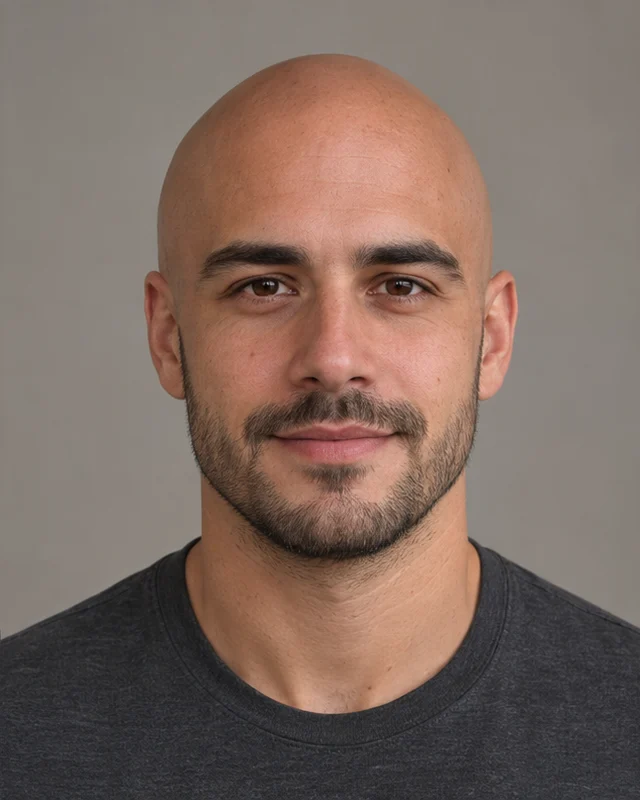
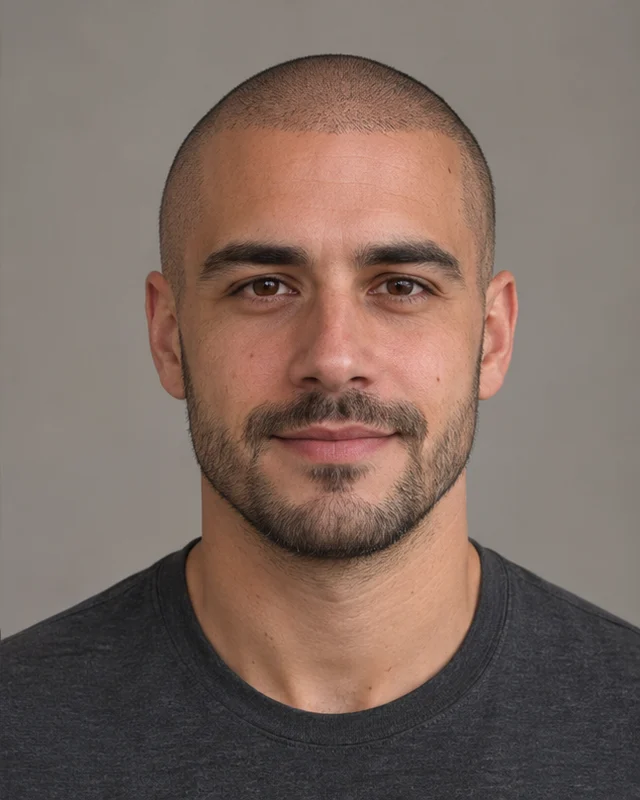
AI-generated style example
Clean-shavenA new look, from your own photo.
AI-generated style examples of a fictional adult, not customer photos. Your result will vary.Your upload and result stay private unless you choose to share them. Privacy Policy
Before you create
- Photo requirements
- JPG, PNG or WebP · up to 10 MB · one person, with the face and top of the head visible
- Output
- Image ratio follows your uploaded photo
- Generation cost
- Generation requires sign-in and enough credits. Review the actual quote before submitting.
How to use the bald filter online
Sign in and upload or paste a clear selfie with your whole head in frame.
Choose clean-shaven or subtle stubble. Review the model's credit quote and your balance.
Generate your bald preview, inspect the result and download it from this page or Assets.
Choose a selfie that leaves room for the scalp
Use an evenly lit front-facing photo with some space above your head. Avoid hats, hair covering your eyes, heavy filters and group photos. Long hair can hide the ears, neck and background; the model must reconstruct those areas, so simpler backgrounds are easier to work with. Check the scalp outline, ears and face before sharing.
Bald filter questions
Can I use this bald filter online free?
Browsing the tool and AI-generated examples is free. AI generation requires a signed-in account and sufficient credits. Any eligible sign-up credits appear in your account; compare that balance with the quote. Registration does not guarantee enough credits for a free generation. If your balance is too low, a credit purchase is required. Email accounts must verify their email before use.
How can I see what I would look like bald?
Upload a clear selfie and select Clean-shaven. The AI hair remover edits the scalp while aiming to preserve your face, expression, clothing and background. It is a creative preview, and it may change facial details; it cannot predict your exact appearance after shaving.
What is the difference between bald and stubble?
Clean-shaven asks for a smooth scalp with no visible hair. Subtle stubble asks for an evenly shaved head with a faint layer of very short hair. Neither style asks the model to remove your eyebrows, eyelashes or beard.
Does the bald filter work on long hair?
You can upload a short- or long-haired portrait. The model is asked to remove scalp hair, including strands around the shoulders, and reconstruct the revealed background. Long hair, complex backgrounds and hidden head outlines can make the result less accurate.
Can I try it on my phone without installing an app?
Yes. Use the tool in your mobile browser, sign in and choose a photo from your device. No app installation is required. The upload accepts JPG, PNG and WebP files up to 10 MB.
Where can I download my bald photo?
When the generation completes, use Download on this page or open Assets. Your upload and generated result remain private unless you choose to share them.