Skip to content
mifanai · 12 Templates · 3 Photo guides

Prompt library

Twelve original templates built from our three photo tools. Read the instructions, make the details yours, or apply a template to its tool. Browse and edit freely; generation shows a credit quote before you submit.

A clear starting point for your next photo.

12 / 12 · Original style illustrations, not generated result examples.

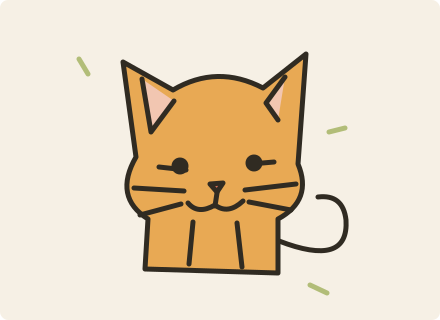
Photo to doodle

MS Paint doodle

When to use
For a playful avatar or reaction picture where the rough, mouse-drawn look is the joke.
Make it yours
Adjust one expression or background color. Keep the uneven outlines and sparse detail for the MS Paint look.
Edit prompt

The execution prompt is written in English. You can edit its wording.

Keep the source framing

Photo to doodle

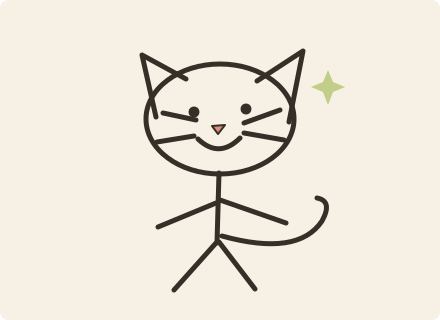
Stick figure

When to use
For a photo whose pose tells the story: waving, jumping or a pet leaning sideways.
Make it yours
Name the important pose or accessory. A simple background keeps the thin limbs readable.
Edit prompt

The execution prompt is written in English. You can edit its wording.

Keep the source framing

Photo to doodle

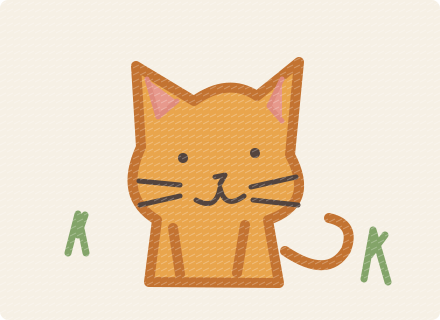
Crayon drawing

When to use
For a warm, handmade drawing of a person, pet or familiar object.
Make it yours
Choose two or three main colors and a paper tone. Keep the rough crayon texture instead of asking for polished shading.
Edit prompt

The execution prompt is written in English. You can edit its wording.

Keep the source framing

Photo to doodle

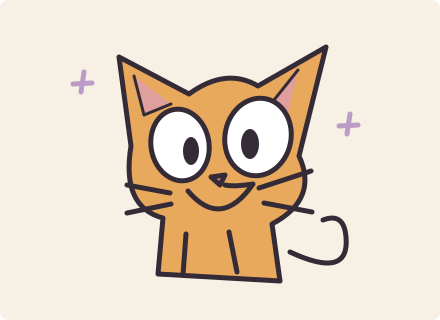
Wonky cartoon

When to use
For an expressive cartoon avatar with a recognizable subject and deliberately crooked proportions.
Make it yours
Specify a single expression, such as surprised or cheerful. Review whether exaggerated eyes still suit your subject.
Edit prompt

The execution prompt is written in English. You can edit its wording.

Keep the source framing

When to use
For a CV, company biography or profile that calls for formal business attire.
Make it yours
Change the jacket color or neutral background. Keep facial texture and avoid adding accessories that obscure the face.
Edit prompt

The execution prompt is written in English. You can edit its wording.

When to use
For an approachable professional profile with a relaxed blazer and natural daylight.
Make it yours
Swap the office backdrop for bookshelves or greenery. Describe clothing and lighting separately so the edit stays clear.
Edit prompt

The execution prompt is written in English. You can edit its wording.

AI professional headshot

Creative professional

When to use
For a designer, writer or creative profile with warm, understated editorial styling.
Make it yours
Choose a muted backdrop color or gentle side light. Keep the subject in crisp focus and the background quiet.
Edit prompt

The execution prompt is written in English. You can edit its wording.

When to use
For a simple profile portrait with neutral clothing and a minimal studio background.
Make it yours
Adjust the background tone and expression. Consistent framing is useful when making portraits for a team.
Edit prompt

The execution prompt is written in English. You can edit its wording.

AI graduation photo

Classic cap & gown

When to use
For a classic single-person graduation keepsake with a cap, gown and clean backdrop.
Make it yours
Describe the gown color or tassel color. Keep enough space above the head for the entire mortarboard.
Edit prompt

The execution prompt is written in English. You can edit its wording.

AI graduation photo

Campus memories

When to use
For an outdoor graduation memory with greenery, a courtyard and warm daylight.
Make it yours
Describe a campus-like setting and the time of day. Keep the background generic and avoid text or university logos.
Edit prompt

The execution prompt is written in English. You can edit its wording.

AI graduation photo

Studio portrait

When to use
For a calm graduation portrait with soft studio light and an uncluttered background.
Make it yours
Choose a background tone and a natural expression. A 4:5 frame gives the cap and shoulders more room.
Edit prompt

The execution prompt is written in English. You can edit its wording.

When to use
For a nostalgic graduation portrait with warm film color and subtle grain.
Make it yours
Adjust the era or grain strength gently. Check facial details, the cap and the tassel before using the result.
Edit prompt

The execution prompt is written in English. You can edit its wording.

Applying a template saves the edited prompt in this tab for one hour, without placing it in the URL or starting generation.

From template to your own result

  1. Pick a template and read its photo requirements.
  2. Copy or edit the prompt, choose a ratio, and apply it to the tool.
  3. Upload or paste your photo, review the credit price and generate. Completed results go to Assets.

Photo guides

Help improve mifanai

Allow Google Analytics cookies to measure public visits, tool uploads and generations, campaign labels, and verified purchases and refunds (amount, currency, product and a pseudonymous transaction ID)? Campaign attribution is saved with checkout. No photos, email or card details are sent. You can withdraw at any time. Privacy Policy