Vampire
Actual tool output · Nano Banana 2 · 4:5
Your face. A Halloween story.
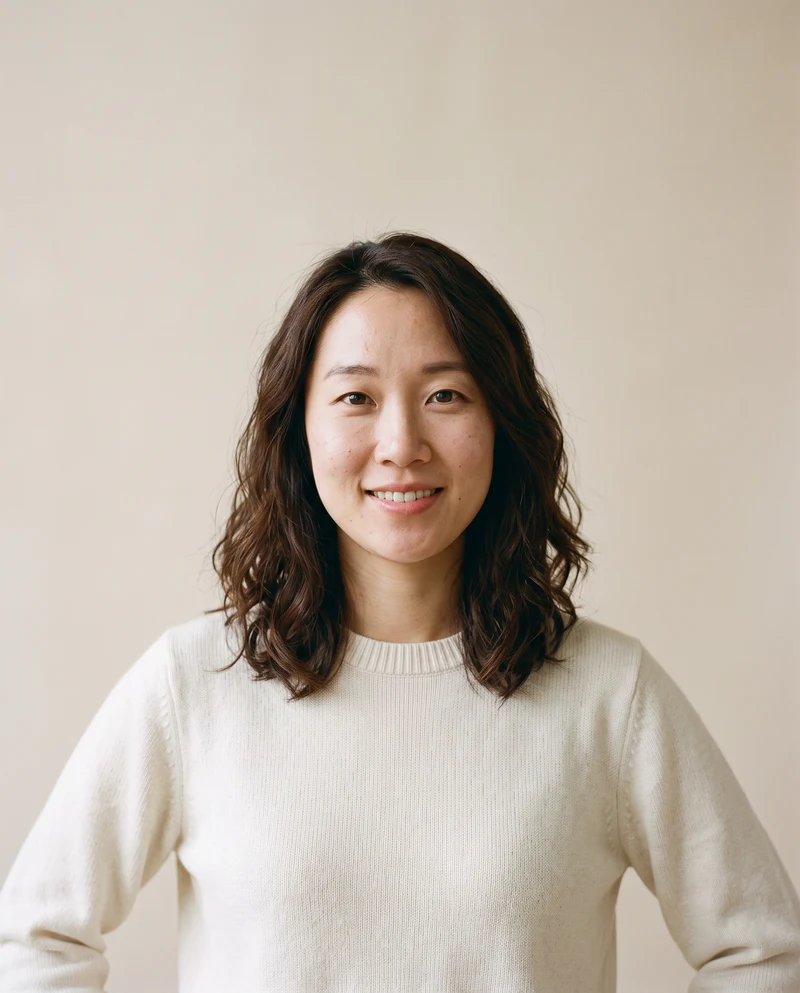
Upload one clear portrait and choose a Halloween look. AI changes the costume, setting and light while aiming to keep you recognizable.
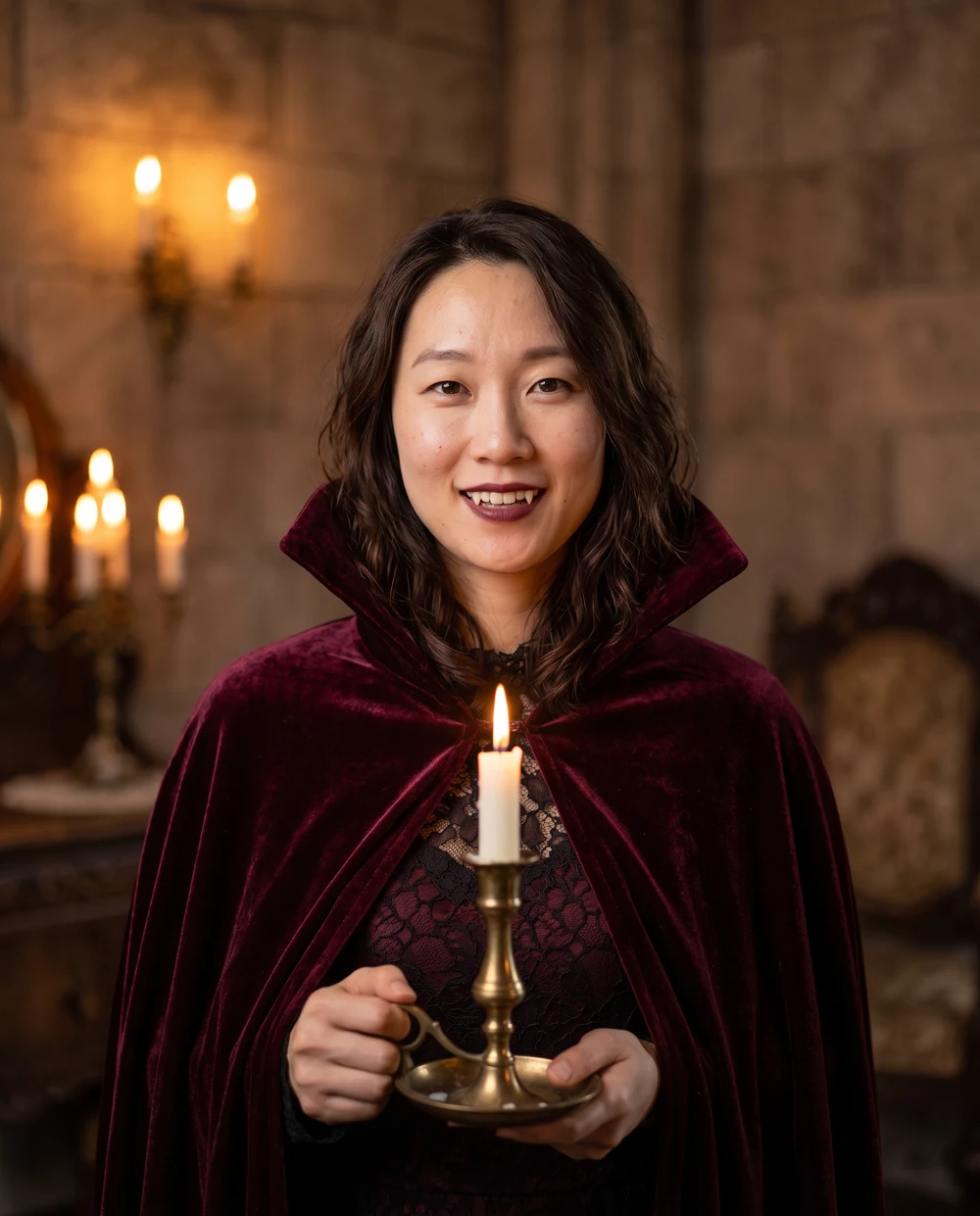
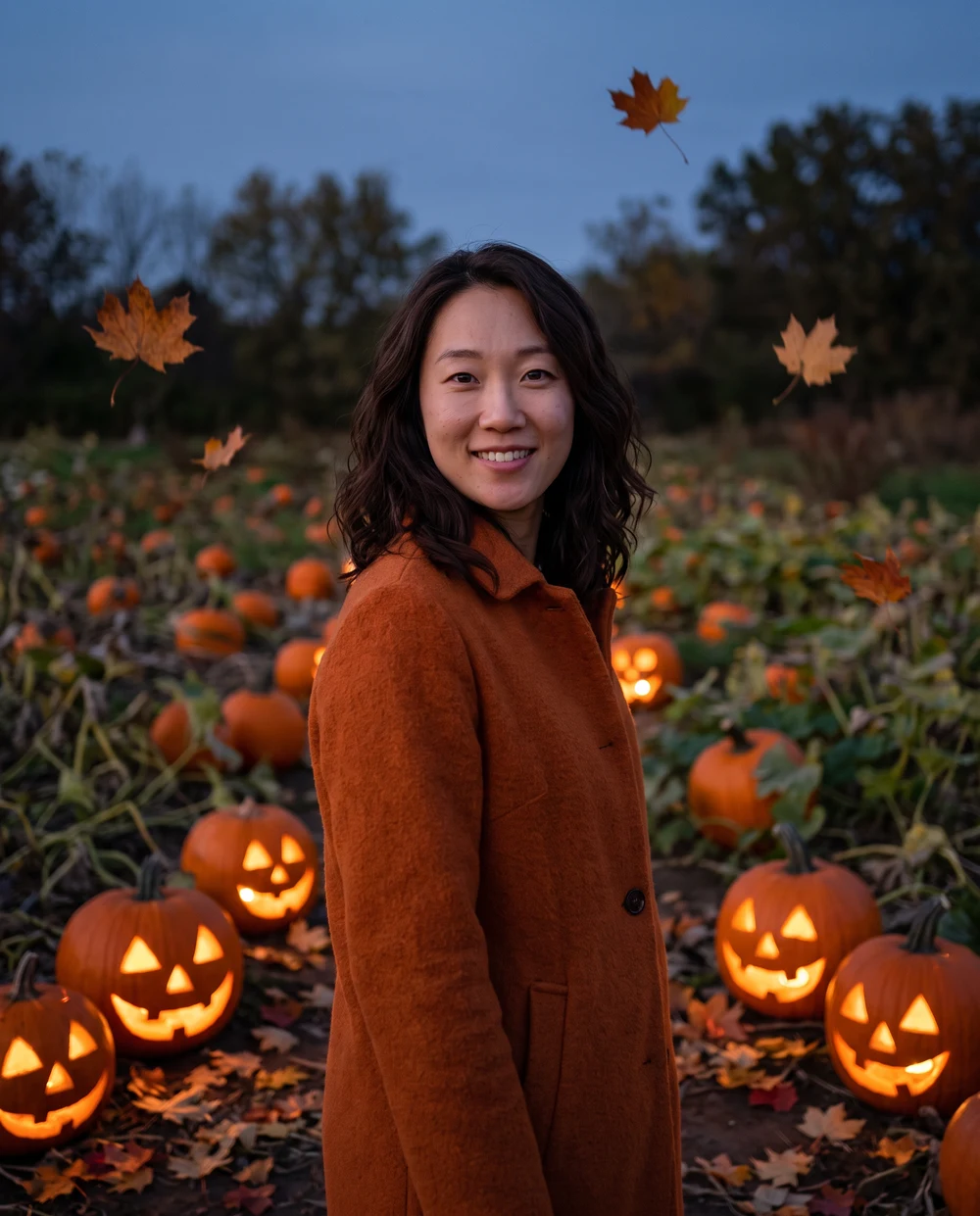
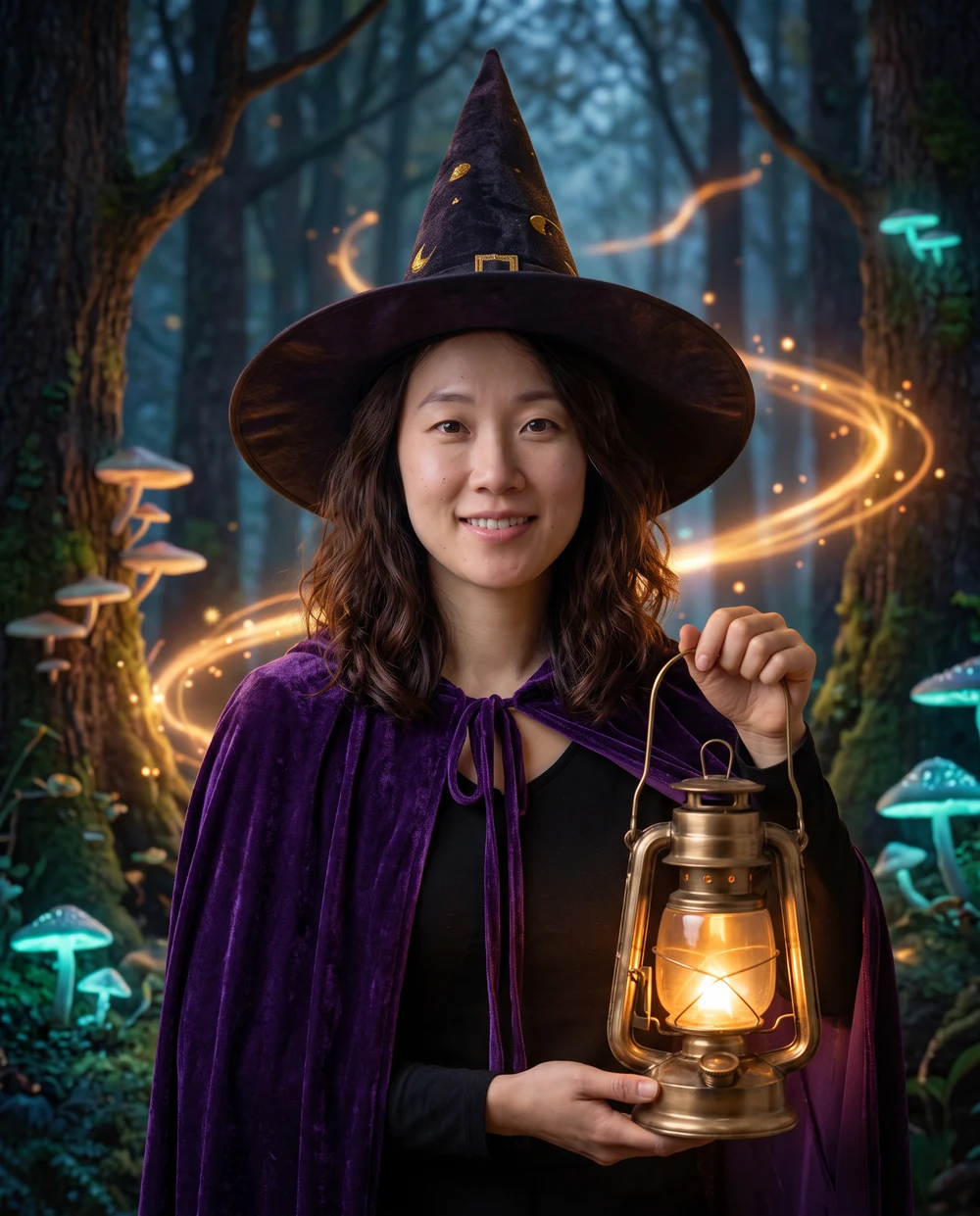
Four of our eight looks, made with this tool using the same AI-generated fictional adult portrait. Nano Banana 2, 4:5. These are demonstrations, not customer photos or testimonials. Results vary by photo and model.
Actual tool output · Nano Banana 2 · 4:5
Actual tool output · Nano Banana 2 · 4:5
Actual tool output · Nano Banana 2 · 4:5
Actual tool output · Nano Banana 2 · 4:5
Sign in and upload a photo to see the exact credit quote. Each generation creates your selected look and is charged separately.
Nano Banana 2 · Choose a look to preview its real result.
Eight real Nano Banana 2 photo outputs from the same AI-created portrait. Results vary by photo and model.Your upload and result stay private unless you choose to share them. Privacy Policy
All eight images below are real Nano Banana 2 outputs from the same AI-created portrait. Compare the costumes, makeup and settings before choosing a look.
A burgundy velvet cape, candlelight and a gothic room give this portrait its classic vampire atmosphere. The costume adds subtle theatrical fangs while keeping the face visible. A clear, evenly lit source photo leaves the model more facial detail to preserve. Choose this look for an elegant Halloween profile photo or a dramatic portrait, rather than an action scene.
A pointed hat, violet cloak and softly glowing lantern place the person in an enchanted forest. This look works best when the reference leaves space above the head, so the hat can fit without covering the face. The published photo shows a magical setting with small glowing details, while the person's face remains the visual focus.
Warm jack-o'-lanterns, autumn leaves and an outdoor garden create a cozy seasonal scene. The person wears an autumn coat and keeps a human head and recognizable face. This is a pumpkin-lit portrait, rather than a pumpkin-head transformation. It suits a softer Halloween card or social portrait where the setting matters as much as the costume.
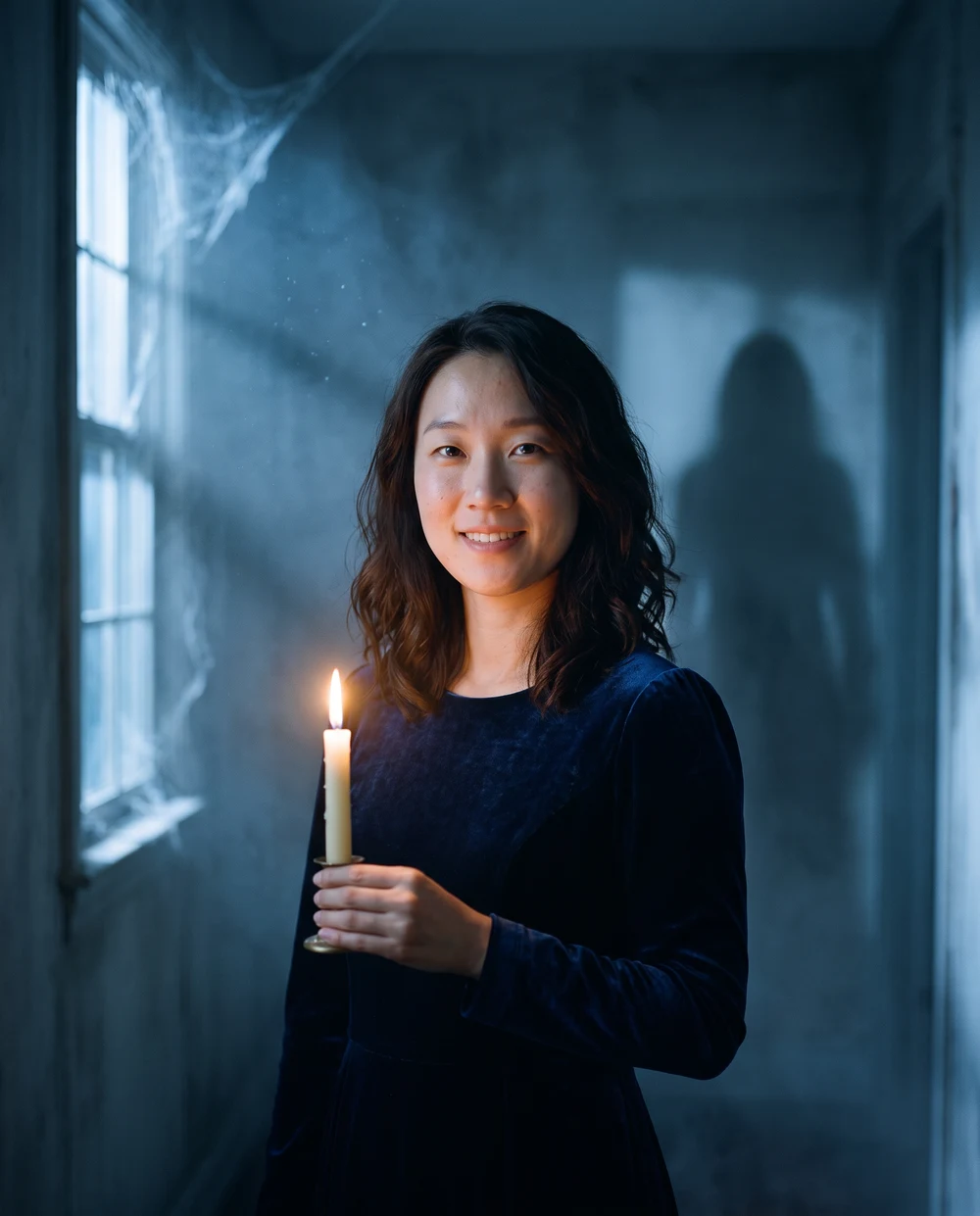
A dim old corridor, blue moonlight and low mist create suspense around the portrait. One candle provides a warm focal point, while a distant abstract shadow stays behind the person. The effect relies on the setting and light, without a named film character. Choose a sharp source photo so the face retains detail when the final scene becomes darker.
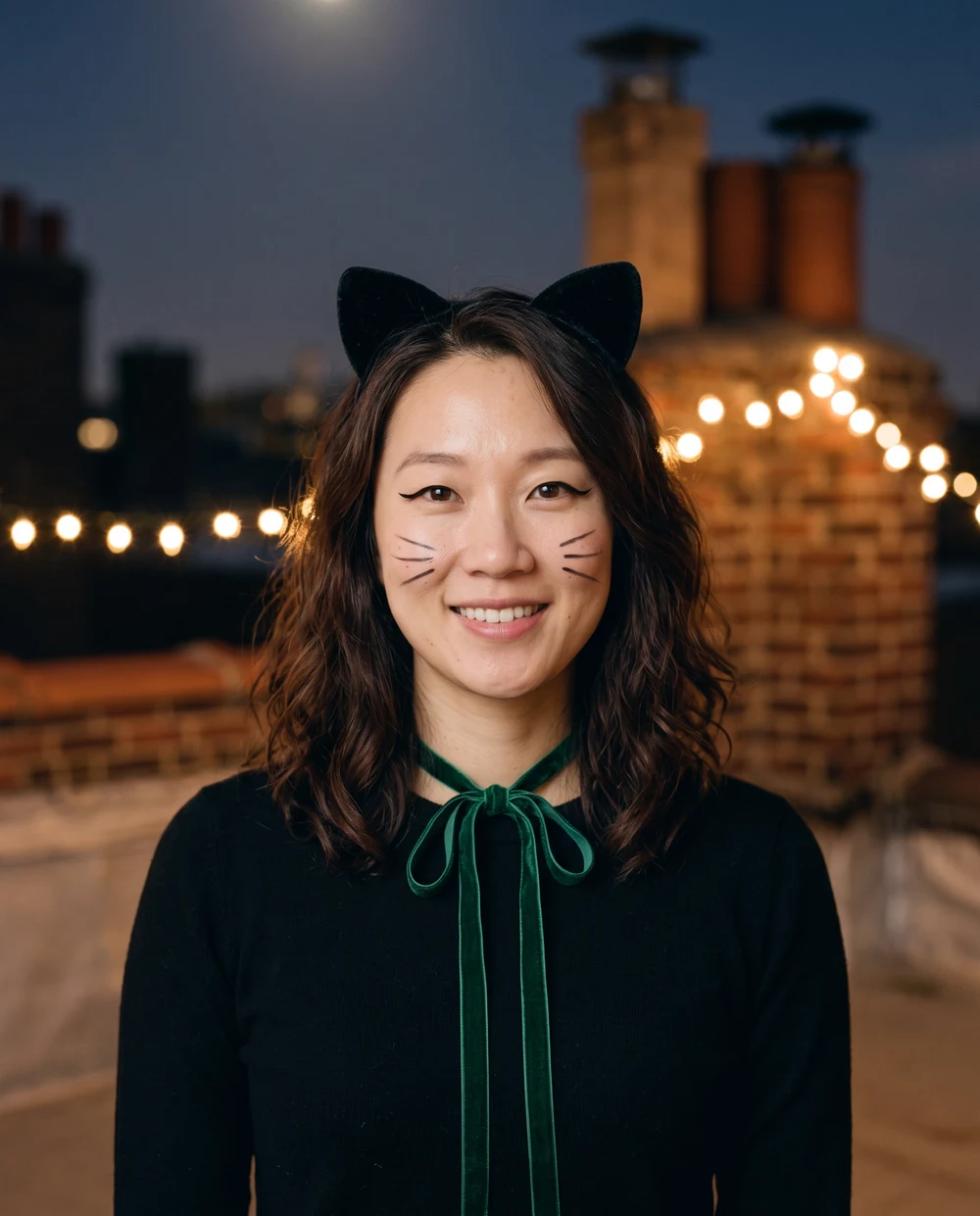
Velvet cat ears, painted whiskers and an emerald ribbon make this a playful costume portrait. The scene combines moonlit rooftops with warm strings of lights. The person keeps a human face; the prompt does not turn them into an animal. A face-forward reference helps make the eyeliner and whisker details easier to assess in the finished image.
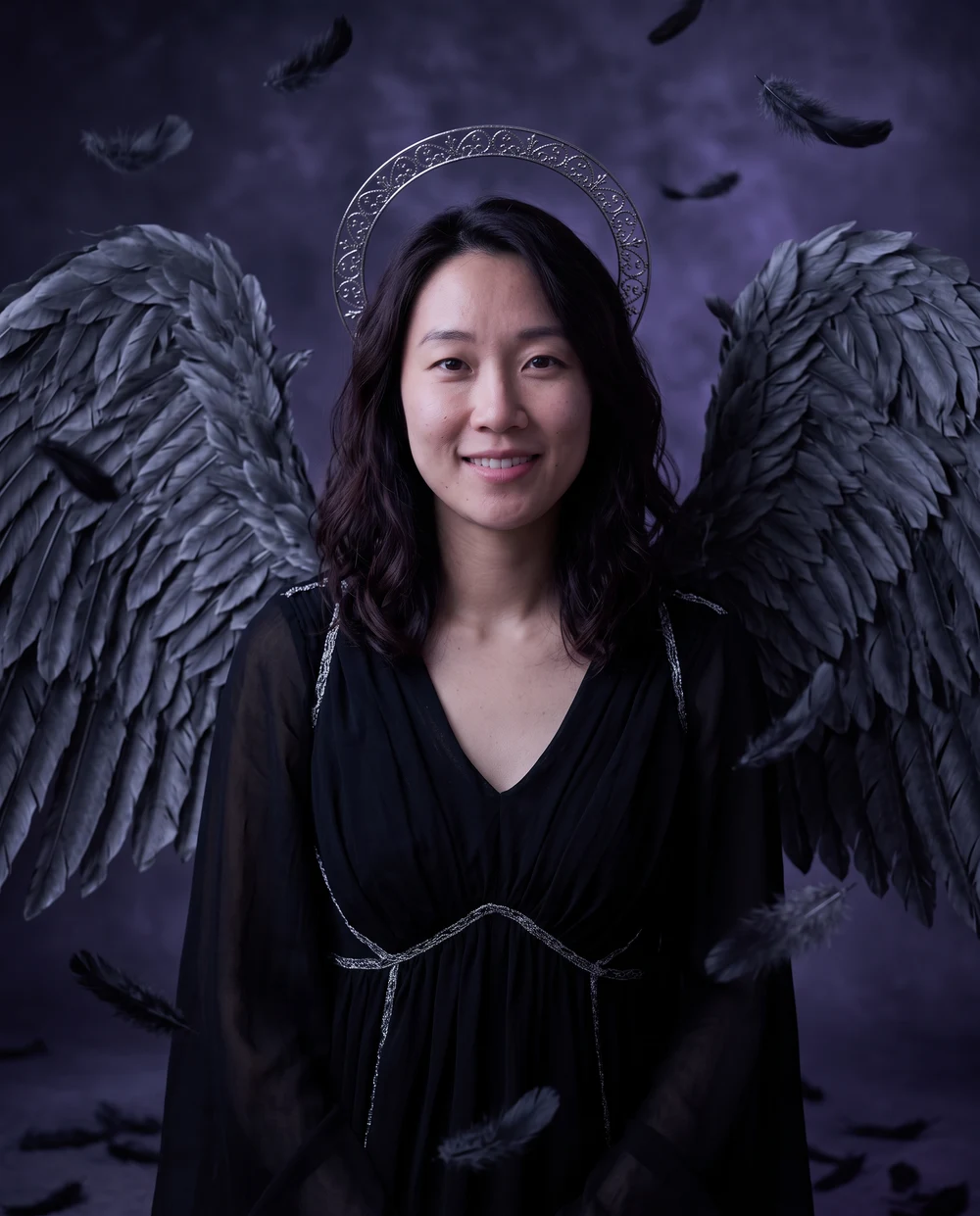
Charcoal feather wings, a silver halo and violet moonlight create a dramatic fantasy portrait. The wings sit behind the shoulders and leave the face uncovered. A reference with space around the upper body gives the model room for the costume. Check the halo, feather edges and shoulder area in the result, as large accessories can vary between generations.
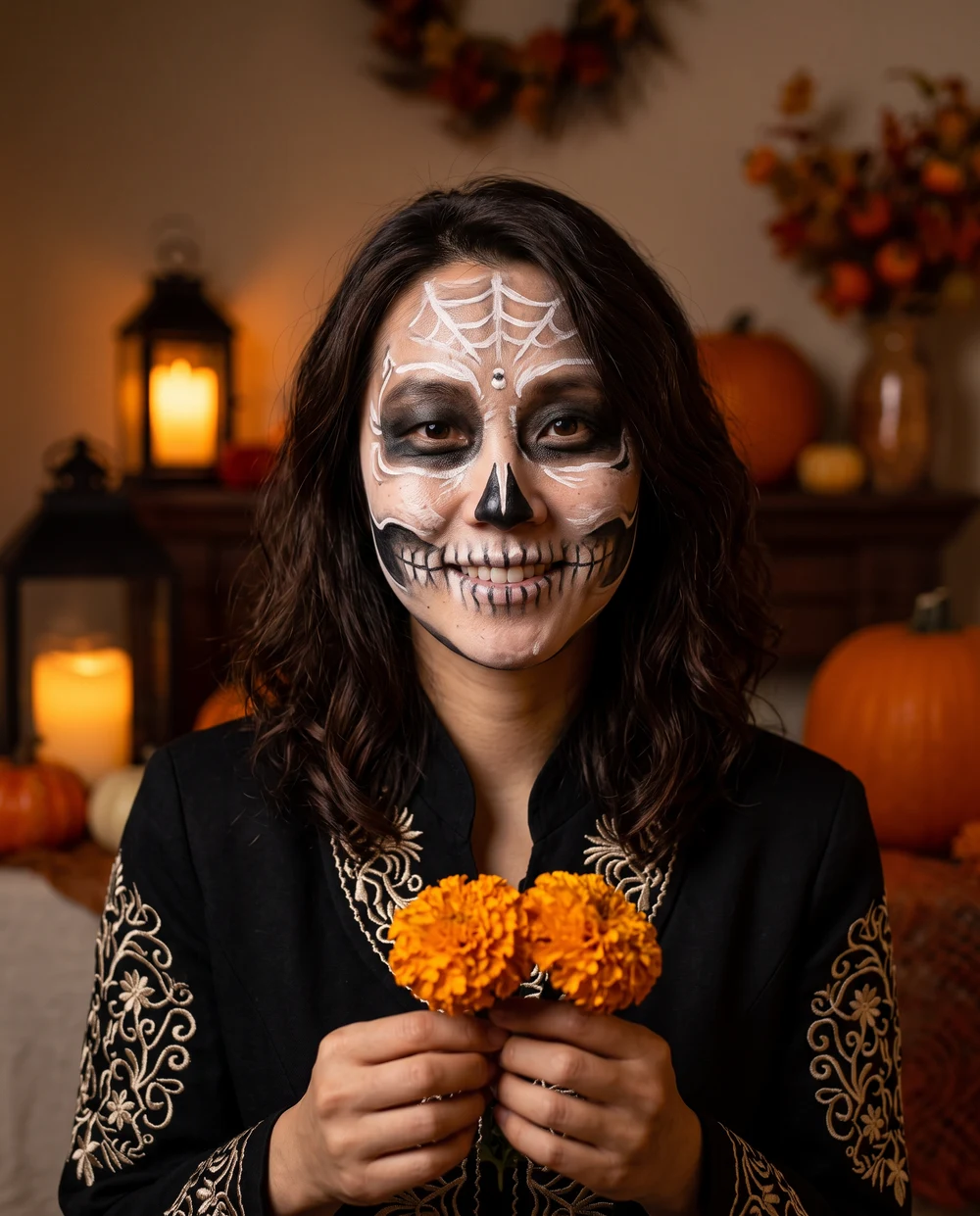
Fine white face-paint patterns, dark eye accents, embroidered clothing and marigolds create a theatrical skeleton look. The effect is painted makeup on the person's face, with no exposed bone or injury. Because the makeup changes contrast around the eyes and mouth, inspect those features carefully. The warm lantern setting keeps the portrait festive while the costume remains the main subject.
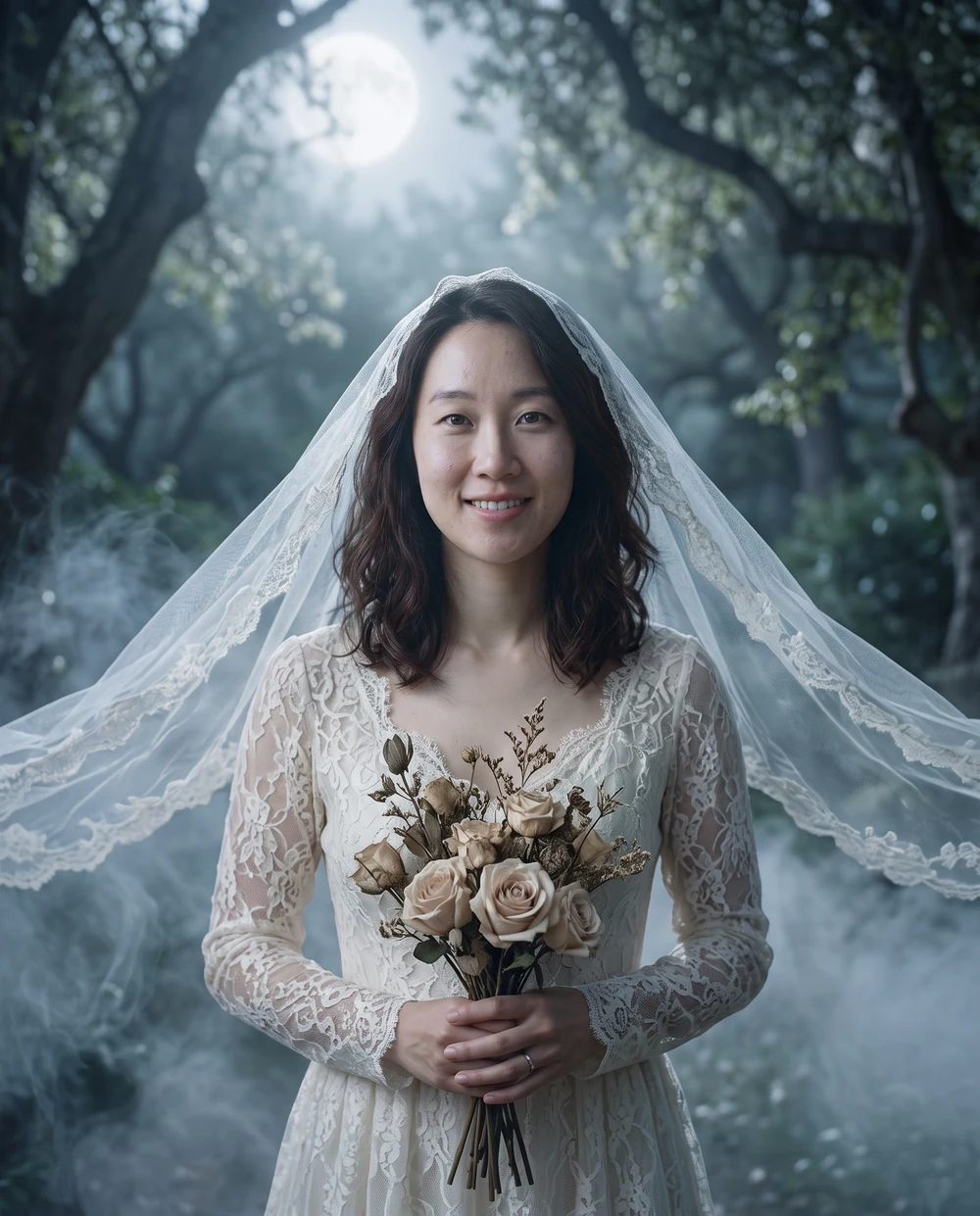
Ivory wedding attire, a translucent veil and pale roses create an ethereal garden portrait. Silver moonlight and low mist establish the ghostly mood while the face remains uncovered. Use a reference with visible shoulders and some space around the head. In the published image, the lace, bouquet and flowing veil distinguish this look from the darker costume styles.
Upload or paste a clear photo of one person.
Choose a Halloween look and a photo ratio.
Review the credit price, generate and download your saved image.
Use a sharp, evenly lit portrait with your face, hair and shoulders visible. Avoid masks, sunglasses and group photos. You do not need a costume in the original photo. Check the face, clothing and details in the result; AI does not guarantee an exact likeness.
It uses your photo as an identity reference and creates a new portrait with the selected costume, lighting and setting. It aims to preserve your recognizable features, but results vary.
Browsing is free. Creating an image requires signing in and enough credits. Your current model's quote is shown before you submit; there is no separate Halloween free trial.
The Halloween video tool creates a separate five-second clip from an uploaded photo. It has its own quote and charge. It does not unlock or upgrade this image.
The completed image is saved privately to your account's Assets. Download it here or open Assets to manage it. You decide whether to share it.
Credits are returned after the task is confirmed to have failed without delivering a result. If submission or status is unconfirmed, check the same task instead of starting another paid request.
Allow Google Analytics cookies to measure public visits, tool uploads and generations, campaign labels, and verified purchases and refunds (amount, currency, product and a pseudonymous transaction ID)? Campaign attribution is saved with checkout. No photos, email or card details are sent. You can withdraw at any time. Privacy Policy